Author: Just Flight News
Latest issue of PC Pilot now on sale
20 October 2020
The November/December issue (No. 130) of PC Pilot magazine arrived with us recently. If you're not a subscriber, you should be able to find a copy in the shops or you can get one direct from the PC Pilot website.
This new issue ha…
20 October 2020
The November/December issue (No. 130) of PC Pilot magazine arrived with us recently. If you're not a subscriber, you should be able to find a copy in the shops or you can get one direct from the PC Pilot website.
This new issue has an extra eight pages to make room for the extensive 14-page review of Microsoft's new Flight Simulator - definitely worth a read!
Also included are interviews with Just Flight's Martyn, who provides all the background to our forthcoming A300B4-200 model for P3D v4/v5, and with DC Designs' Dean Crawford, the man behind the newly released Concorde for P3D and FSX.
Several new sets of A300 'in development' screenshots have been posted in the last couple of months, so take a look at the A300B4-200 page if you'd like to see how the aircraft is currently looking.
DC Designs Concorde (for P3D v1-v5 & FSX)

A300B4-200 (for P3D v4/v5)

The November/December issue (No. 130) of PC Pilot magazine arrived with us recently. If you're not a subscriber, you should be able to find a copy in the shops or you can get one direct from the PC Pilot website.
This new issue has an extra eight pages to make room for the extensive 14-page review of Microsoft's new Flight Simulator - definitely worth a read!
Also included are interviews with Just Flight's Martyn, who provides all the background to our forthcoming A300B4-200 model for P3D v4/v5, and with DC Designs' Dean Crawford, the man behind the newly released Concorde for P3D and FSX.
Several new sets of A300 'in development' screenshots have been posted in the last couple of months, so take a look at the A300B4-200 page if you'd like to see how the aircraft is currently looking.
DC Designs Concorde (for P3D v1-v5 & FSX)
A300B4-200 (for P3D v4/v5)
FS Academy – Voyager MSFS
New cockpit lighting system for our 146 Professional for P3D
19 October 2020
The development team creating our new 146 Professional add-on for P3D v4/v5 have been busy working on a new lighting plugin that takes advantage of all the latest P3D technology to produce realistic and immersive cockpit lighting.
The…
19 October 2020
The development team creating our new 146 Professional add-on for P3D v4/v5 have been busy working on a new lighting plugin that takes advantage of all the latest P3D technology to produce realistic and immersive cockpit lighting.
The 146 will be the first of our aircraft to feature this system and we've added a short video and some screenshots to the 146 Professional page to demonstrate the functionality and visual quality it offers. The screenshots are also available below.
In addition to realistic cockpit lighting, we have also added a useful flashlight feature for walk-arounds and 'cold and dark' starts in low light conditions.
The team are also working on a new 3D sound plugin to handle the 400+ custom sounds that will feature in the 146 - more news on that soon!
We're planning to have the new 146 Professional ready for you to fly in November.


The development team creating our new 146 Professional add-on for P3D v4/v5 have been busy working on a new lighting plugin that takes advantage of all the latest P3D technology to produce realistic and immersive cockpit lighting.
The 146 will be the first of our aircraft to feature this system and we've added a short video and some screenshots to the 146 Professional page to demonstrate the functionality and visual quality it offers. The screenshots are also available below.
In addition to realistic cockpit lighting, we have also added a useful flashlight feature for walk-arounds and 'cold and dark' starts in low light conditions.
The team are also working on a new 3D sound plugin to handle the 400+ custom sounds that will feature in the 146 - more news on that soon!
We're planning to have the new 146 Professional ready for you to fly in November.
SoFly – Weather Preset Pro
New TSS sound package for the freeware Posky CRJ-200
New voice and button control utility from FS2Crew
REX Weather Force 2020
Latest P3D/FSX Vulcan update
8 October 2020
Our Avro Vulcan B Mk.2 package has been one of our best-selling aircraft add-ons for P3D and FSX since it was released almost two years ago. The Vulcan has been tweaked and improved many times since then and the latest update adds all-n…
8 October 2020
Our Avro Vulcan B Mk.2 package has been one of our best-selling aircraft add-ons for P3D and FSX since it was released almost two years ago. The Vulcan has been tweaked and improved many times since then and the latest update adds all-new exterior and cockpit PBRs for P3D v4.5/v5.
The Vulcan and the K.2 & MRR Expansion Pack have never looked better!
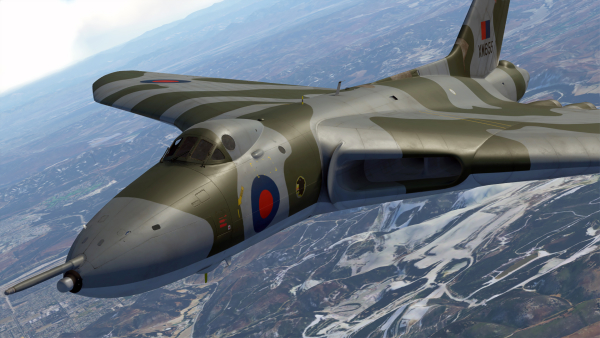
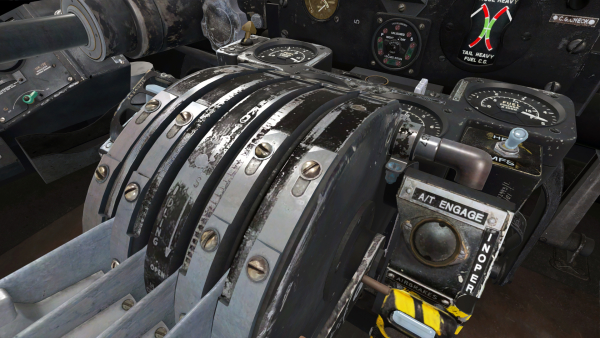
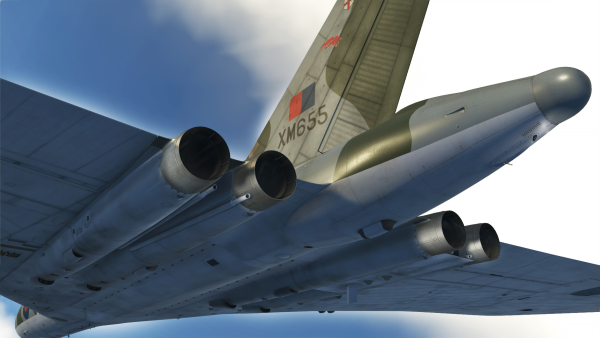
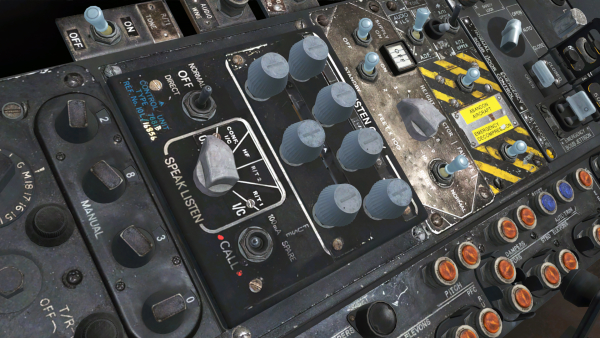
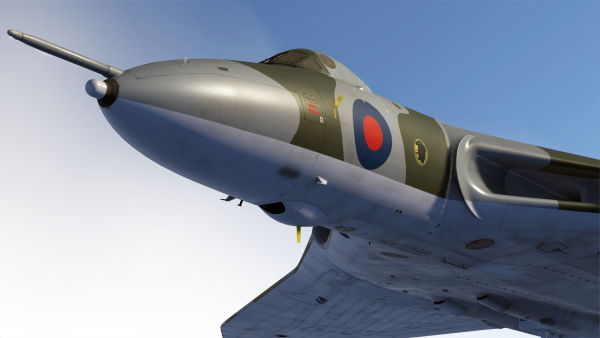
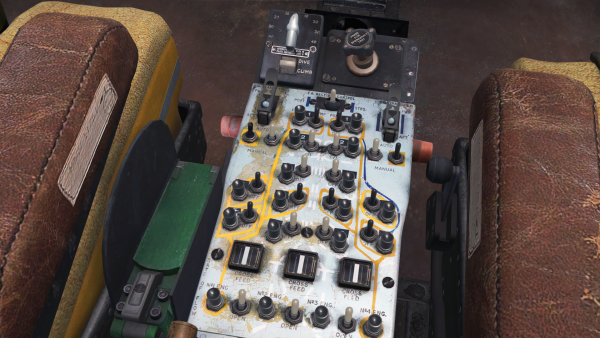
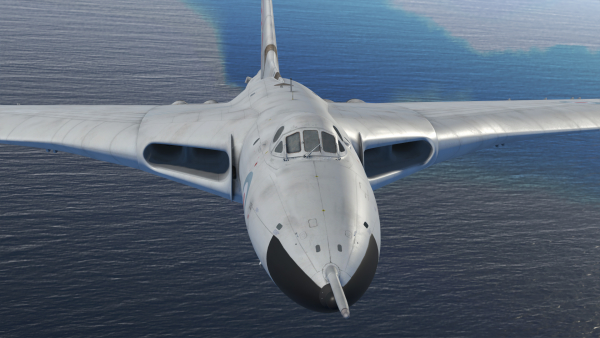

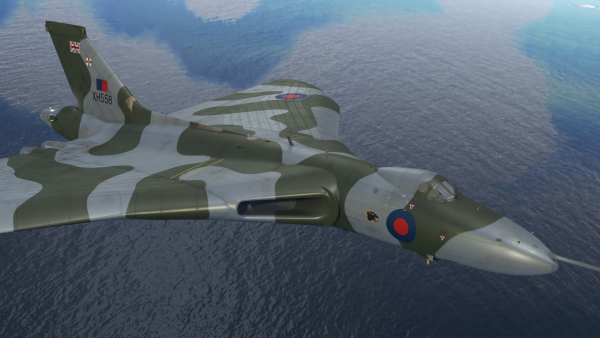
Our Avro Vulcan B Mk.2 package has been one of our best-selling aircraft add-ons for P3D and FSX since it was released almost two years ago. The Vulcan has been tweaked and improved many times since then and the latest update adds all-new exterior and cockpit PBRs for P3D v4.5/v5.
The Vulcan and the K.2 & MRR Expansion Pack have never looked better!